
Sponsor & NGO Program Management
Register health coverage sponsors, configure subsidized billing codes, link NGO programs to patients, and track insurance claims.
Medaius supports subsidized healthcare and third-party coverage programs funded by NGOs, Government Health Programs, Corporate Employers, and Private Insurance. This guide covers setting up sponsor organizations, issuing discount codes, assigning coverage to patients or cohorts, and reconciling claims.
1. Sponsors & Programs Directory
Access the sponsors dashboard under Sponsors in the main sidebar:
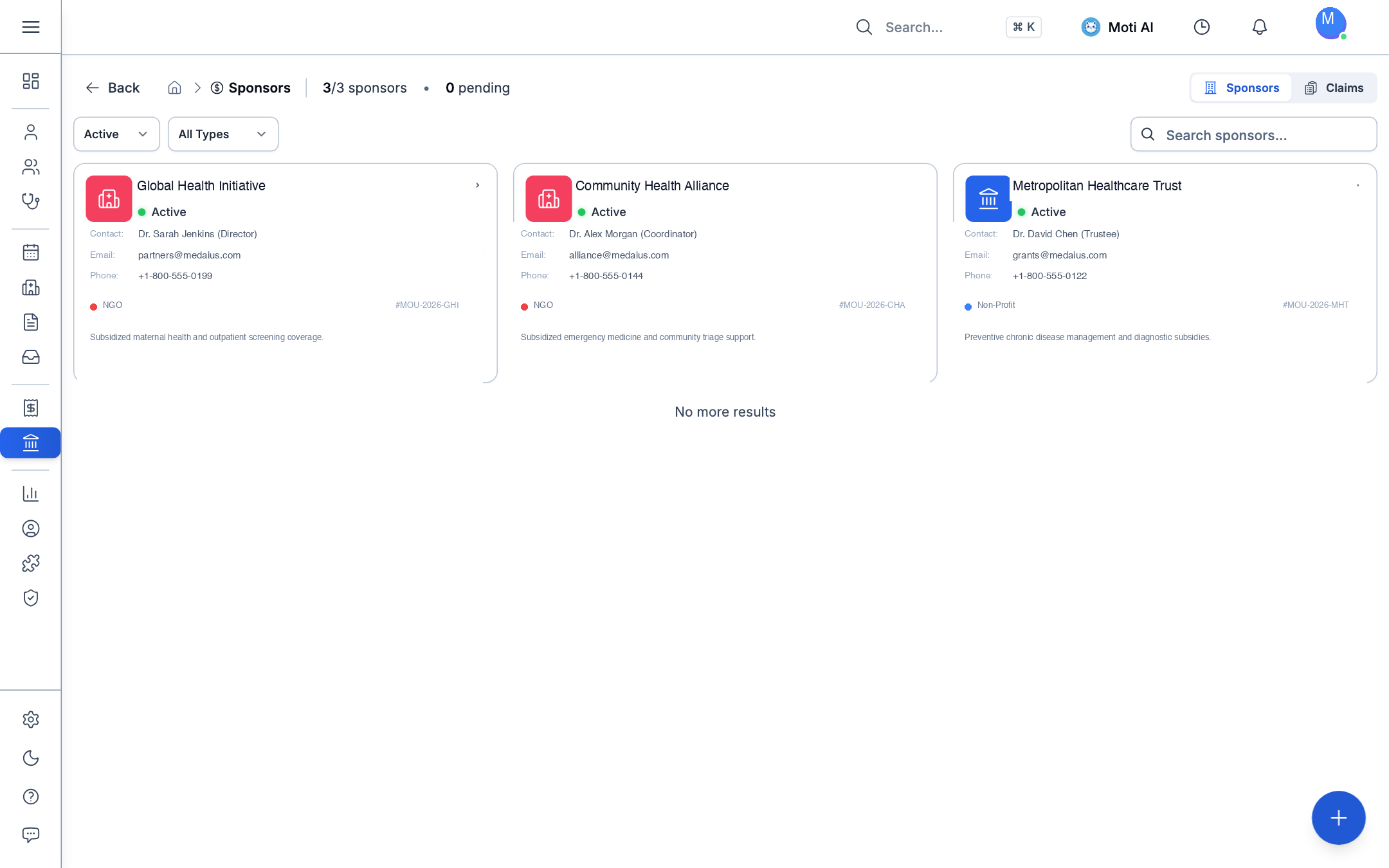
Directory Overview:
- Active Programs: Monitor active sponsors and coverage initiatives (e.g., Red Cross, Government Subsidy Programs).
- Sponsor Classifications: Clearly categorized by type: NGO, Government, Corporate, or Insurance.
- Contact & MOU Data: View designated sponsor representatives, email contacts, telephone numbers, and MOU contract identifiers (e.g.,
#M0U234234). - Claims Overview: Switch between the Sponsors directory and the Claims reconciliation tab to review outstanding subsidies.
2. Setting Up Coverage Codes & Subsidies
Clicking on any sponsor card opens their configuration profile:
Creating Subsidized Billing Codes
- Navigate to the Codes tab and click Create Code (e.g.,
RCM-FREE-2026). - Set coverage rules:
- Discount Type: Percentage discount (e.g., 100% full coverage, 50% copay) or fixed monetary deduction (e.g., 20,000 MMK).
- Validity Range: Start and expiration dates matching contract terms.
- Budget & Usage Caps: Maximum allowable claims or financial spending ceiling.
- Click the Usage Statistics icon on any code to view real-time metrics: total claims processed, total funds disbursed, and top patient or group beneficiaries.
3. Applying Sponsor Coverage at Checkout
When a sponsored patient receives medical care:
- At the Point of Sale checkout or Billing invoice, select Sponsor as the primary payer.
- Enter or select the patient's assigned Sponsor Code.
- The system validates contract active dates and remaining budget caps in real-time.
- If approved, the invoice splits automatically:
- Patient Copay: Any remaining balance payable by the patient at the counter.
- Sponsor Claim: The subsidized portion is queued under Claims for batch invoicing to the NGO or government agency.
Was this page helpful?
Help us improve our clinical documentation with your quick feedback.
Inventory & Stock Management
Track pharmacy medications and clinical supplies, monitor batch numbers, manage expiration alerts, and automate stock deductions.
Data Portability & Record Migration
Import legacy patient records, appointments, and encounters via a 5-step CSV migration wizard, and export structured clinical datasets.