
Group Therapy & Cohorts
Manage patient cohorts, register guest participants, schedule group sessions, track attendance rosters, and link specialized assessment forms.
Medaius supports Group Therapy & Cohort Management, enabling clinics to coordinate multi-patient group therapies, mental health circles, addiction recovery programs, or community health workshops with full clinical documentation.
1. Group Therapy Dashboard
All cohort operations take place under the Groups module in the main sidebar.
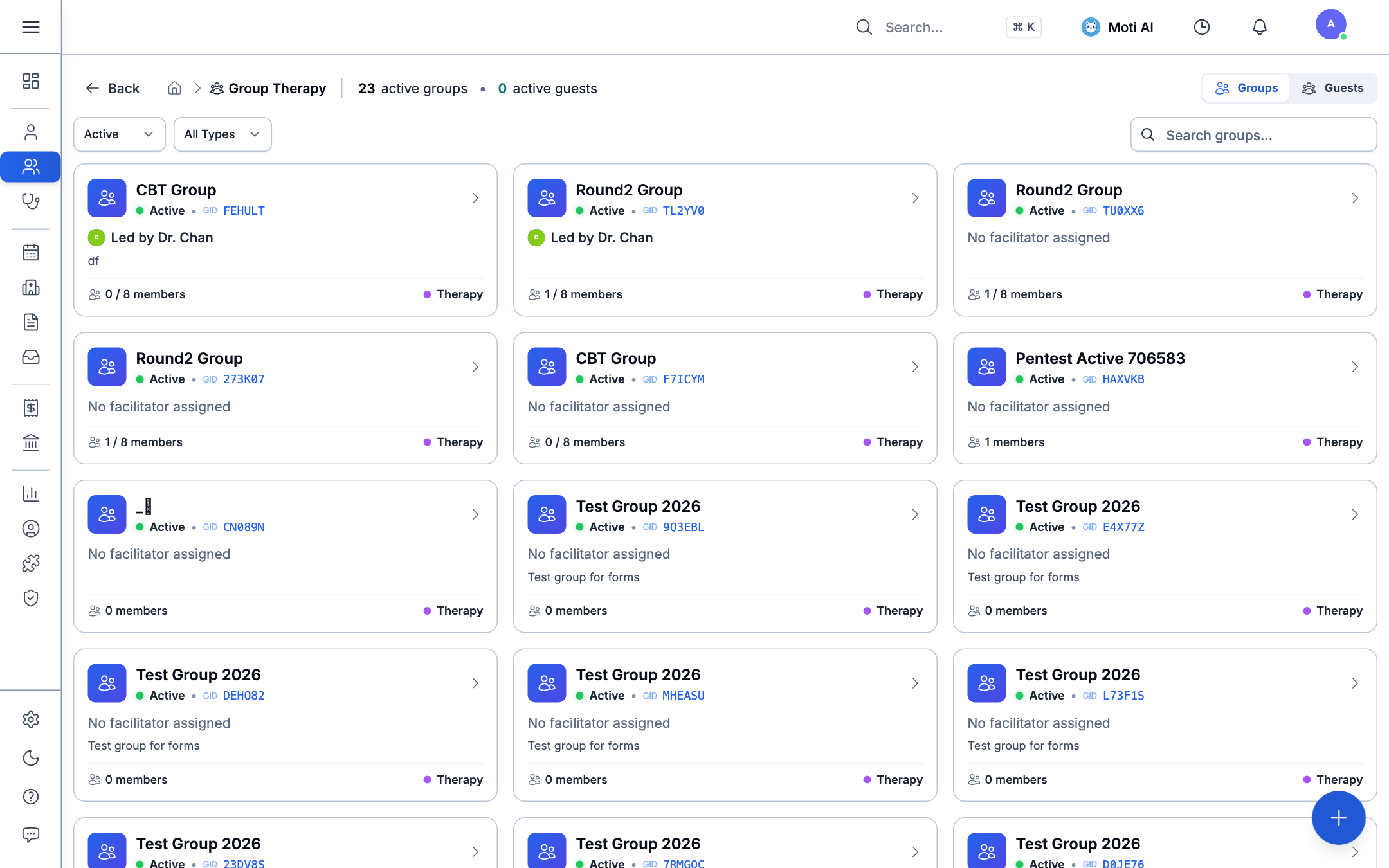
The Groups directory provides:
- A card-based overview of all Active Groups and Active Guests.
- Quick identification of assigned group facilitators (e.g., Dr. Chan), unique Group IDs (GID), and maximum cohort capacity (e.g., 1 / 8 members).
- Filtering by active/archived status and therapy classifications.
- Instant access to create new groups or manage guest profiles.
2. Cohort Workspace & Session Documentation
Clicking on any group card opens the dedicated Group Workspace, uniting participant management, session history, and clinical documentation in one unified interface.
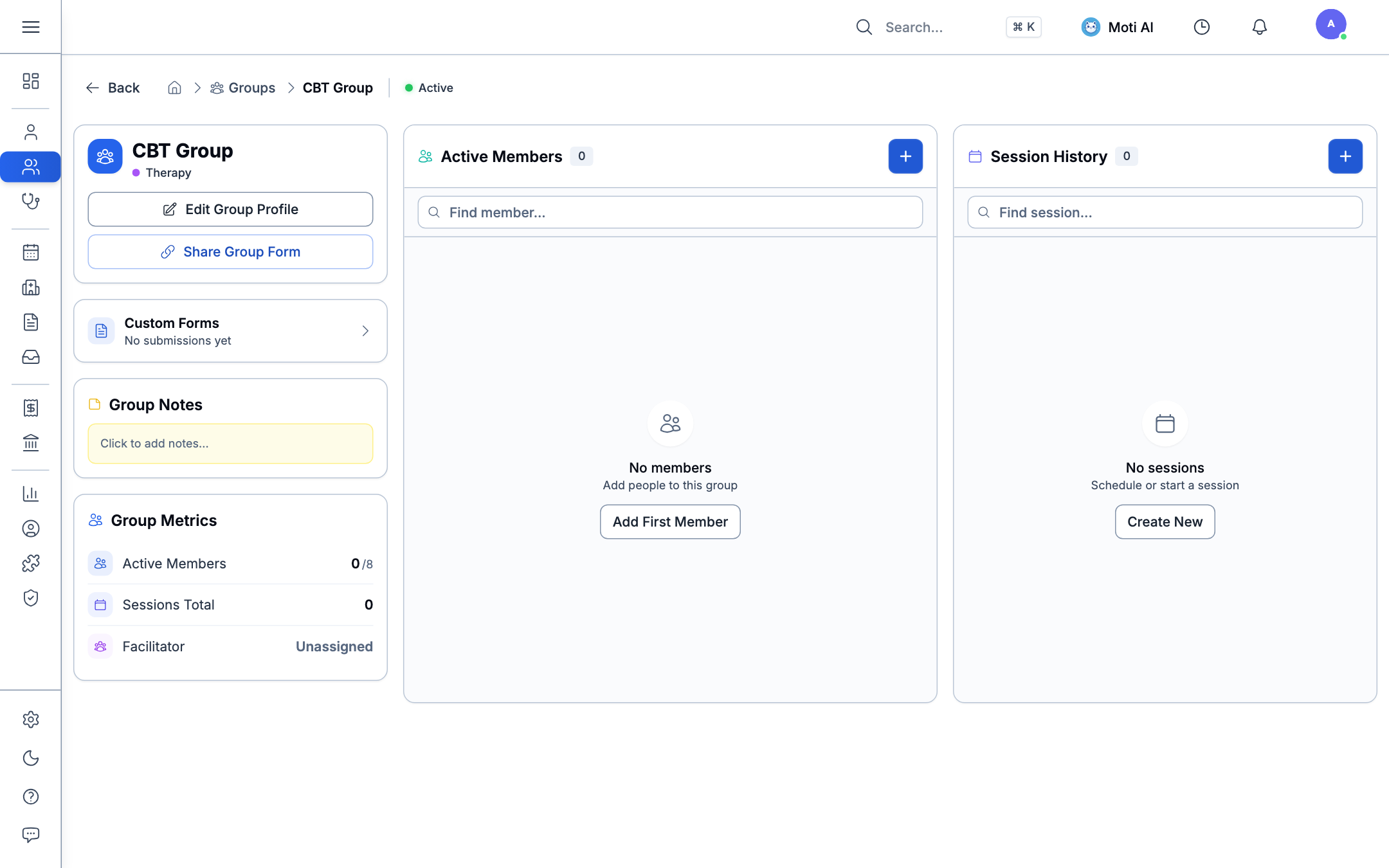
Group Profile & Notes
- Edit Group Profile: Update cohort title, max member limits, session frequency, and clinical goals.
- Group Notes: Log continuous, shared clinical observations about overall cohort dynamics and therapeutic progress.
- Group Metrics: Track active member counts against group capacity, total sessions conducted, and assigned lead facilitators.
Managing Cohort Members
In the Active Members panel:
- Click + (or Add First Member) to enrol participants.
- Select member type:
- Patient: Searches registered clinic patient charts.
- Guest: Enrolls family members, guardians, or community attendees who do not require a full medical record.
- Fast search members within large groups using the real-time filter bar.
3. Scheduling & Conducting Sessions
Under the Session History panel:
- Click + (or Create New) to schedule an upcoming group meeting.
- Specify the session date, time, duration, and objective (e.g., CBT Session 4: Cognitive Restructuring).
- When the meeting begins, open the session to launch the Group Encounter Workbench:
- Attendance Tracking: Check off attendees as Present or Absent with one click.
- Individual & Group Notes: Record joint notes for the session, or attach private clinical progress entries to individual patient charts.
4. Distributing Group Assessment Forms
You can distribute specialized screening forms (such as PHQ-9, GAD-7, or session feedback sheets) to all members of a cohort simultaneously:
- In the left panel of the group workspace, click Share Group Form.
- Select the desired form template.
- Generate a group-scoped link to share in your group communications or display on intake tablets prior to the session.
- Responses automatically attribute to the cohort and individual patient charts for longitudinal progress tracking.
Was this page helpful?
Help us improve our clinical documentation with your quick feedback.
Telehealth & Virtual Consultations
Launch virtual video visits, share consultation links, and transcribe online calls with the AI Scribe.
Billing, Invoices & Point of Sale (POS)
Process patient checkouts, collect cash and card payments, manage invoice ledgers, and configure standardized clinic service fees.